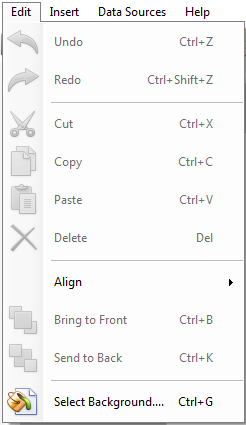
Undo – Click to erase the last change done to the label reverting it to an older state.
Redo – Click to perform the last command again in the label.
Cut – Click to cut the desired object(s) from the label.
Copy – Click to copy the selected object(s) from the label.
Paste –Click to paste the cut or copied object(s) in the label.
Delete – Click to delete the selected object(s).
Align – Click to align the selected object(s) (Left, Horizontally Center, Right, Top, Vertical Center, Bottom).
Bring to Front – Click to bring the selected object to front.
Send to Back – Click to send the selected object to back.
Select Background... – Click to set the label background properties like Solid Color, Select From Gradient, Select From Image, Select Style etc.