To open the settings window you must access the option <OPTIONS & SETTINGS>.

The IP address of the data server will be entered in the settings window. The communication port is 7785, and the station on which the data server is installed must allow communication on this port.
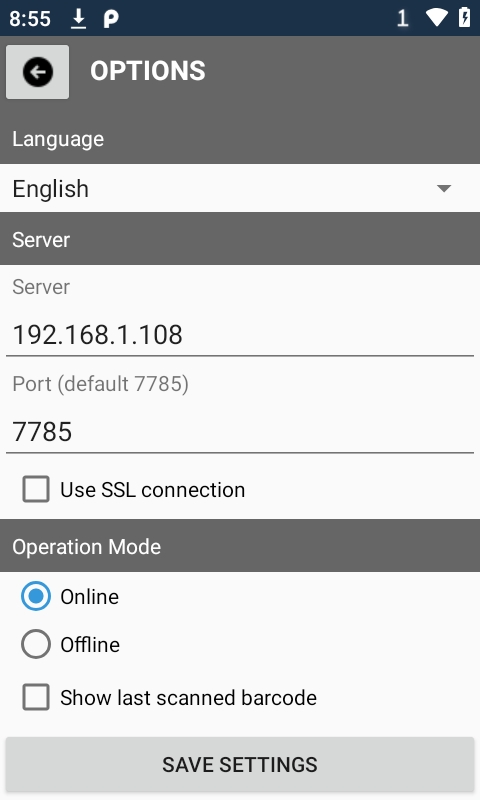
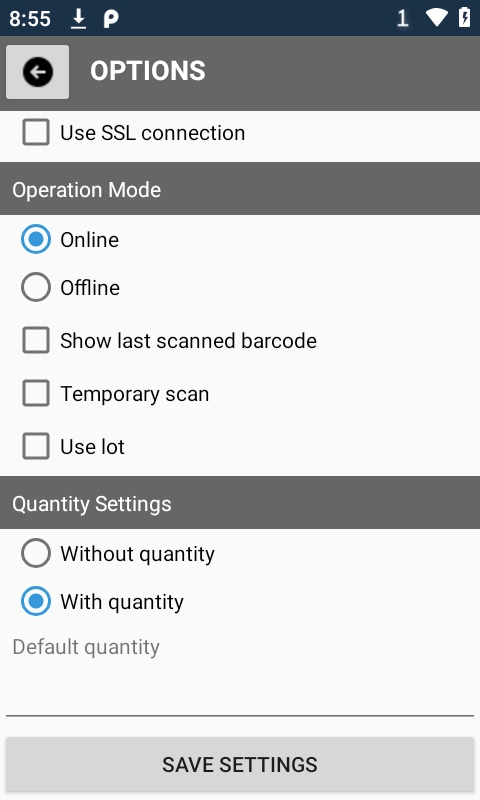
In the settings window, it is possible to determine whether the inventory quantity entry is required, whether the lot entry or scan is required, or whether the temporary scan option is used.
The application can be set to work offline by synchronizing inventories from the server application and taking inventories without the need for a connection to the server application.