You need to have a firewall rule that accept connection on 7785 port and 7786 port. If you use a antivirus you need to set up this rule in the antivirus firewall.
In Windows, please use the following steps.
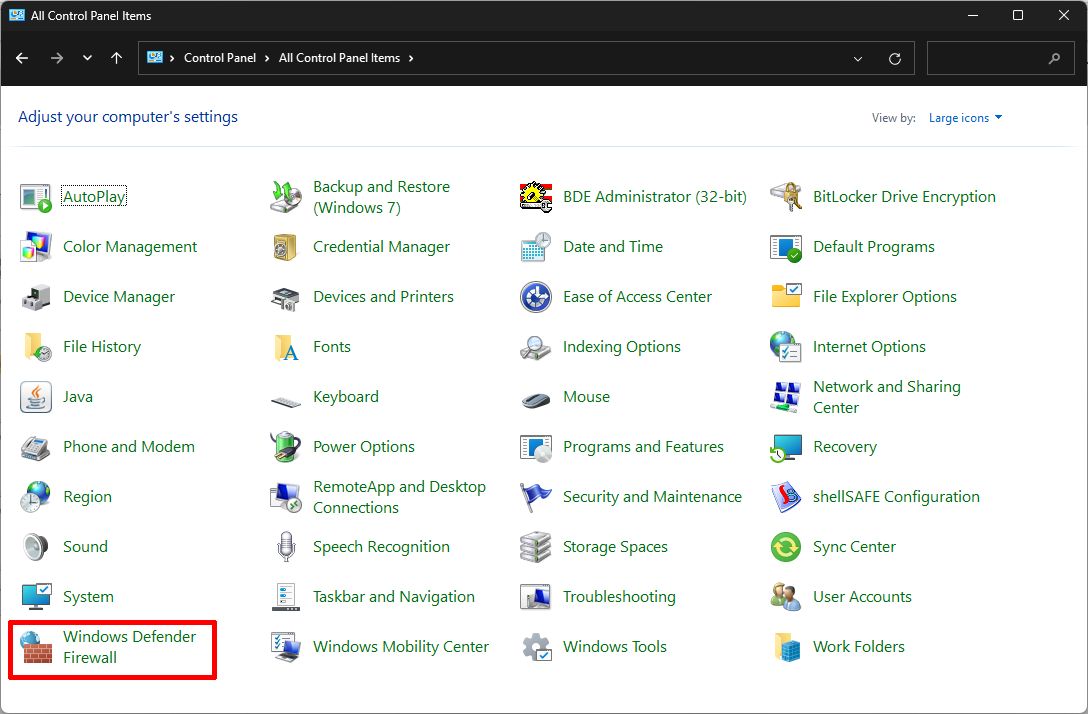
Open Control Panel, and then open Windows Defender Firewall.
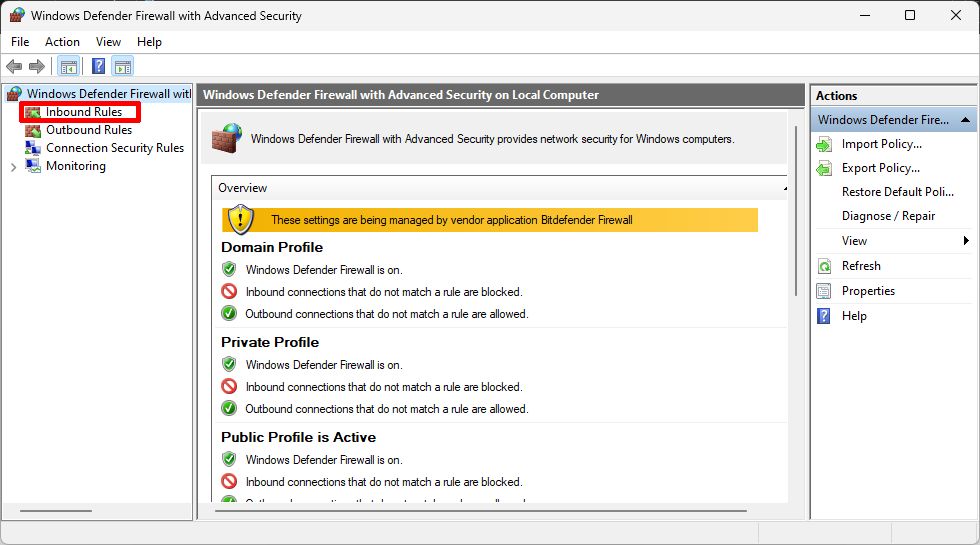
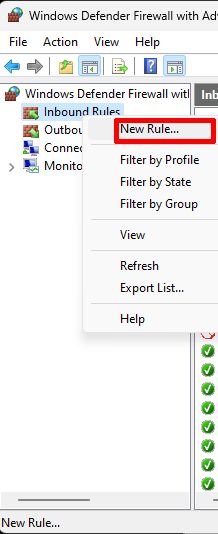
Right Click on Inbound Rules and select New Rule.
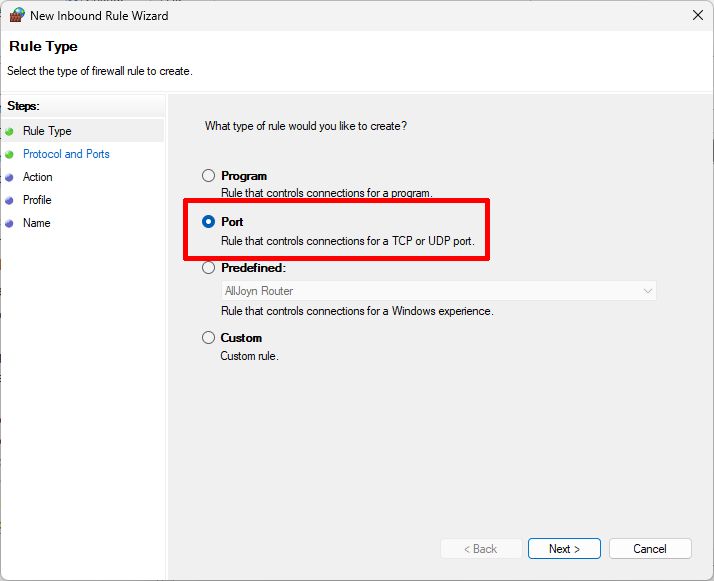
Select Port rule and click Next.
Enter 7785 and 7786 for ports and click Next.
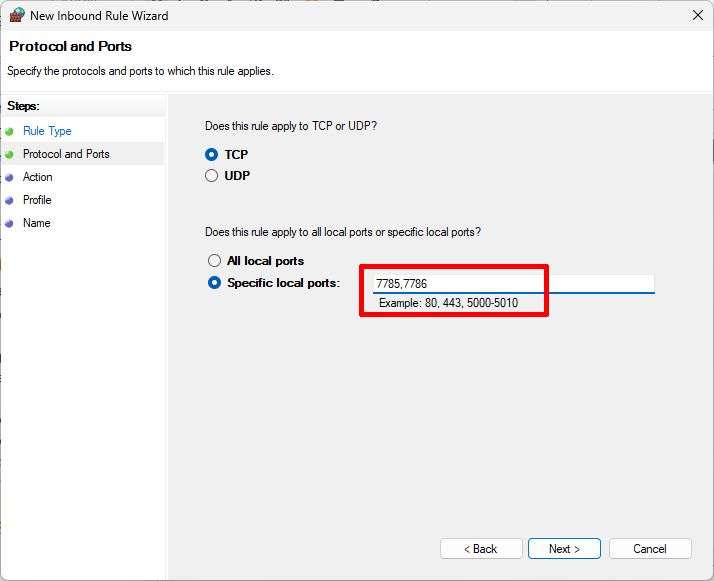
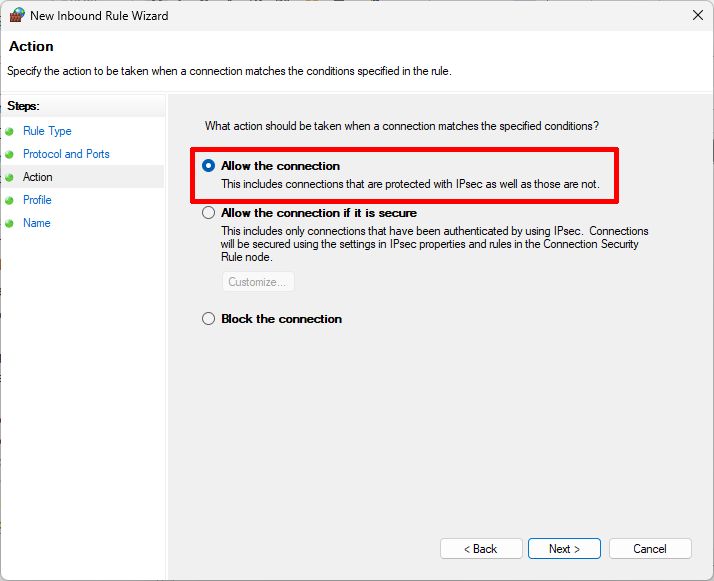
Select Allow the connection and click Next.
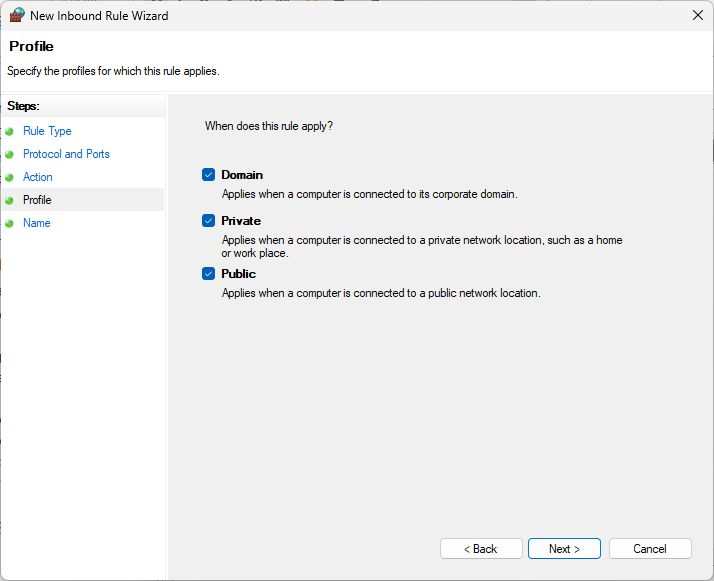
Select when the rule applies.
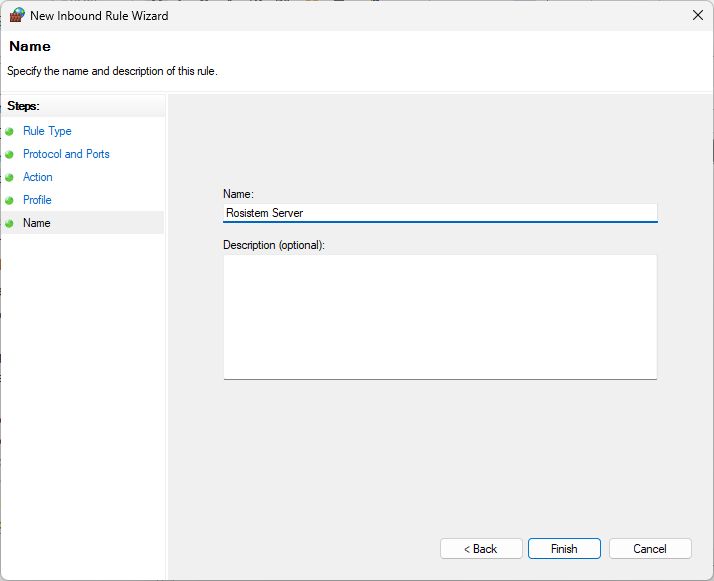
Enter the rule name and click Finish.
Now we can acces from the portable data terminals the server.